
How do I set an SMS limit?
Limits can be set per hour and/or per day. Setting an SMS limit is a good way to:
- Control your usage
- Prevent user error whereby a user might upload a misconfigured file with many more recipients than intended
- Prevent machine error whereby an automated system might send more messages than intended
To set or edit the SMS limit:
- Navigate to Account > Account Settings, and then click the edit icon next to “SMS Limit”:
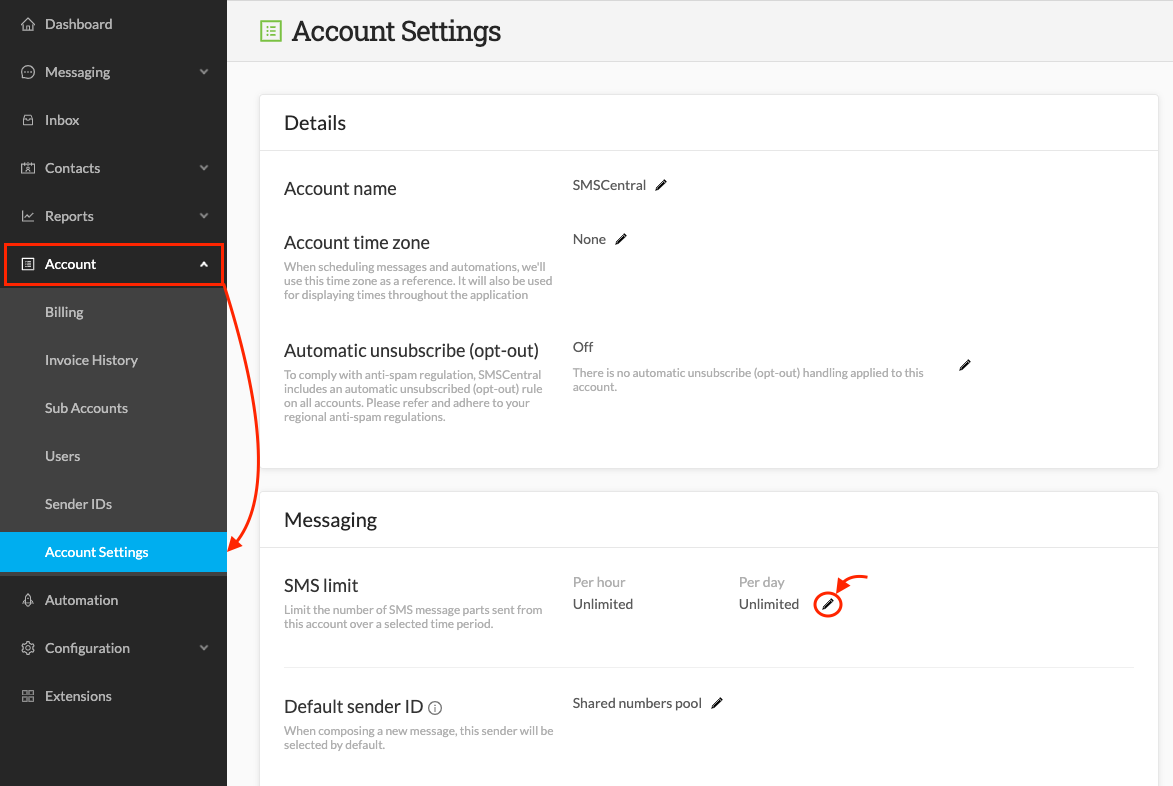
- Enter a value in either the Per hour or Per day text area (you can enter a field in both if preferred):

- Click Save
To reset the limit back to “Unlimited,” simply repeat this process but delete the values in each field and click “Save”